
How foreigners register WeChat and use WeChat Pay
Registration now asks another WeChat user to vouch for you, so it is worth doing before you fly. This guide covers what to prepare, the six registration steps, real-name verification and how to pay once your card is linked.
Pre-registration preparation
- 1A valid mobile phone number, which must be able to receive international SMS.
- 2Identity verification documents: passport · Mainland Travel Permit for Hong Kong and Macao Residents · Mainland Travel Permit for Taiwan Residents · Foreigner’s Permanent Residence Identity Card, etc.
- 3Preparation for supplementary verification: contact eligible WeChat users in advance. They must meet every condition — signed up for WeChat over 6 months ago · has activated WeChat Pay · hasn’t completed “Help Friend Register” for other users in the past month · hasn’t been blocked in the past month.
- 4Search for “WeChat” in the Apple App Store or Google Play, then download and update to the latest version.

Detailed registration process
Steps 1–3
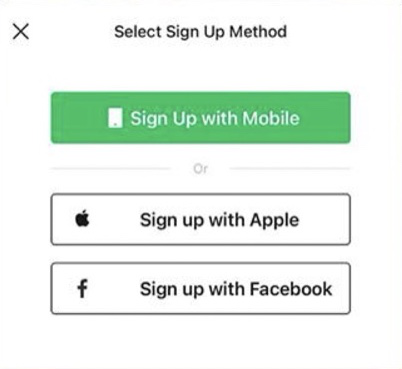
- 1Open the WeChat app and select “Sign Up”. Prioritise selecting “Sign Up with Mobile”. You can also choose to sign up with an Apple ID or Facebook account, but both require additional phone number verification.
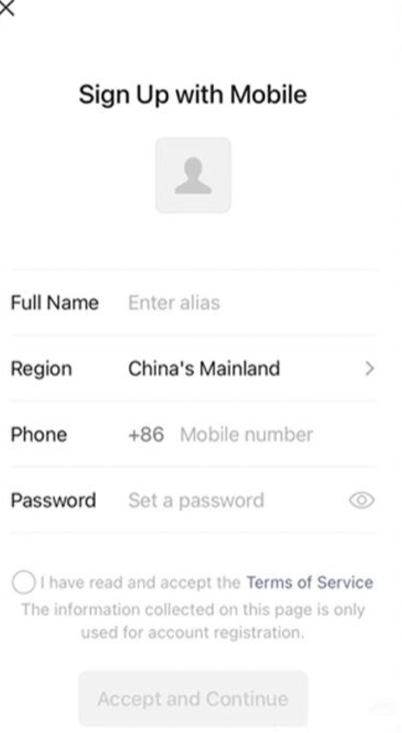
- 2Enter your full name, set the region, your mobile number and a password. Confirm that you have read and accept the Terms of Service. The information collected on this page is only used for account registration.
- 3Tap “Accept and Continue” to pass the security verification and the SMS authentication. The code is sent to the number you entered in Step 2.
Registration, continued
Steps 4–6
- 1Enter your email address, receive the verification email sent by WeChat, click the link in the email, then return to the app and confirm “I have completed verification”.
- 2Contact a WeChat user who meets these conditions — signed up for WeChat over 6 months ago · has activated WeChat Pay · hasn’t completed “Help Friend Register” for other users in the past month · hasn’t been blocked in the past month. They do not have to be your WeChat friend. Ask them to scan the on-screen QR code within 10 minutes.
- 3Select the services you need to activate (such as short video channels and news push), tap “Finish”, and you will be able to enter the WeChat chat interface.

The QR code expires after 10 minutes and the helper must meet all four conditions. If nobody is available, registration cannot be completed — so agree on a time with your contact before you begin.
Real-name authentication
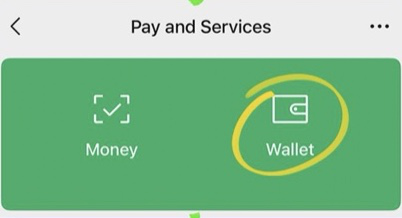
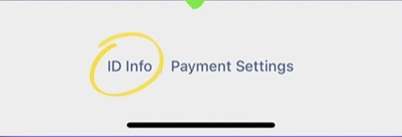
Click “Me” – “Services” – “Wallet”, find “ID Info” – “Verify Now” – choose the type of ID certificate and fill in the information (name, ID number, validity period, etc.).
Verification is checked against the document you upload. Enter the name exactly as printed, in capitals if the passport uses capitals.

Set up WeChat Pay
- 1Click “Bank Cards” in “Wallet”.
- 2Click “Add a Bank Card” and fill in your bank card information.
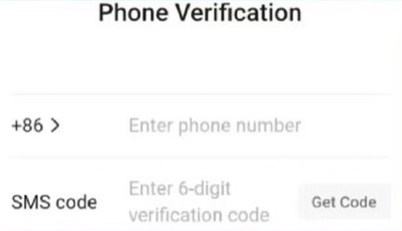
- 3Fill in your mobile phone number, get the verification code and complete the verification.
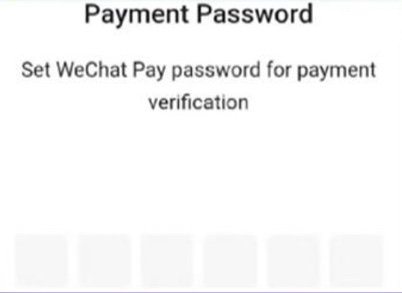
- 4Finally, set the payment password. It is used for every payment, so choose something you will remember.

Usage quick guide
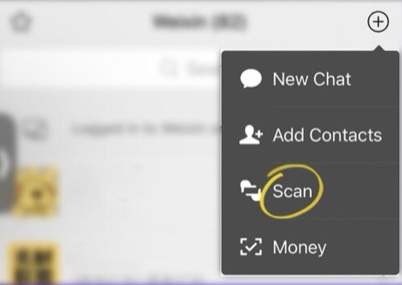
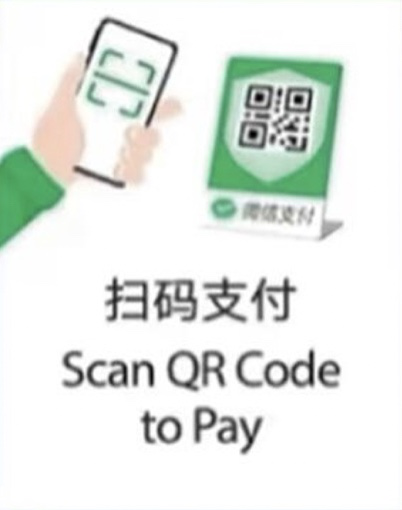
- 1Scan a QR code to pay: tap “+” → “Scan”, frame the merchant’s green QR code, then confirm the amount on screen.
- 1Present your payment code to pay: open “Money” and show your payment code; the cashier scans it with a handheld device.
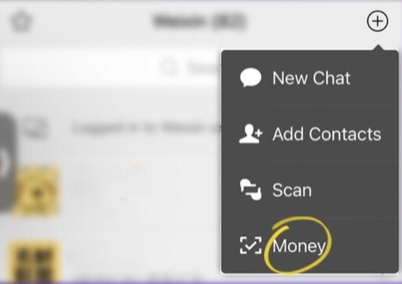

Stalls, taxis, small shops and restaurants accept the scan; supermarkets, hotels and hospital cashiers usually scan your payment code instead.
Check the merchant name, the amount and the currency on screen. Do not show your payment code to anyone but the cashier in front of you.
Before you fly
- Register at home. The friend verification needs someone available within a 10-minute window.
- Real-name verification is needed before payments, and it needs your passport in hand.
- Add the card before you leave and make one small test payment to confirm it works.
This guide is general information only. Screens, menus, limits and fees are set by Tencent, Ant Group and TenPayGo respectively and may change. The respective names and logos are trademarks of their owners. PandaCareVIP is a coordination service and does not collect any payment from you through these wallets.